Greenify *ROOT: Renew my Phone 1.95 beta 4

Download Greenify *ROOT: Renew my Phone 1.95 beta 4 APK for your Android Smartphone.

Current Version: 1.95 beta 4

Requires Android: Varies with device

Category: Tools

v1.95 beta 4 update:

v1.92

New multiple-choice mode after long clicking in app list.

Tasker plugin now support per-app hibernation.

Donation version:

Experimental features can now be enabled or disabled separately.

New experimental feature – Keep Notifications after Hibernation.

New experimental feature – Block App State Abuse.

——

v1.95 beta 4

Hide apps in App Analyzer which you don’t want to greenify with the new “Hide” button (in action bar).


Overview:

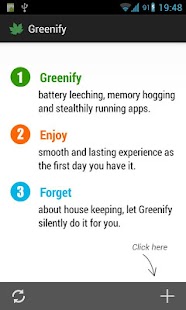
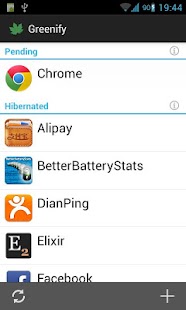
Never should your phone or tablet become slower and battery hungrier after lots of apps installed. With Greenify, your device can run almost as smoothly and lastingly as it did the first day you had it!


Greenify help you identify and put the misbehaving apps into hibernation when you are not using them, to stop them from lagging your device and leeching the battery, in an unique way! They can do nothing without explicit launch by you or other apps, while still preserving full functionality when running in foreground, similar to iOS apps!


ROOT is required.


NOTICE: PLS DO NOT REPORT BUG AS REVIEW, since I could not contact you for further details. Please report bugs on the XDA thread (http://goo.gl/urHEa), or in G+ community (http://goo.gl/MoszF).


IMPORTANT: Greenifying an app implies that you are aware that all the background functionality of this app will become out of service during the hibernation except when you are using this app:


* Persistent background services

* Broadcast receivers, which respond to global device events, such as network state change, SMS reception.

* Alarms, which activate background task at specific time or interval.

* Widget update. Widget should display but may or may not update because periodic update sometimes involves background task.

* Push message. Push is also disabled since it would activate background task on Android, unlike iOS which just shows up messages to user.


Please DO NOT greenify alarm clock apps, instant messaging apps unless you never rely on them. Please verify the impact of greenified apps on which you heavily rely.


Compared to other popular tools aimed for the similar purpose, Greenify offers the following advantages:


◆ Unlike the “Freeze” feature in “TitaniumBackup Pro” that totally disable the app, you can still use your app as usual, share content with it. No need to freeze & defrozen it.


◆ Unlike “App Quarantine”, you can launch greenified apps in any way as usual. No more crafted app-launch widgets, no more manual disabling.


◆ Unlike “Autostarts”, you can benefit from almost all of its advantages, without needing to deal with the complexity and risk of obscure app components, and never lose functionality when app is actively running.


◆ Unlike any “XXX Task Killer”, your device will never fall into the cat-mouse-game of stealthy-running and aggressive killing, which unnecessarily consumes much battery juice.


Note: Greenify do need a background persistent “Cleaner” service to put the greenified apps back into hibernation when you are not actively using them. It is designed and implemented in extremely lightweight, with an average RAM footprint at 3M in total, and nearly zero CPU and battery consumption.


In case you cannot install from Play store: http://oasisfeng.com/Greenify.apk


=== PERMISSIONS ===


INTERNET: Needed by “Raise Your Voice” program to send back only small amount of anonymous statistics data, without privacy information. You can opt-out at any time.

READ SENSITIVE LOG: To analysis the wake up cause of greenified apps.

GET ACCOUNTS & WRITE SYNC SETTINGS: Control the account sync of apps if its sync task is too frequent.


=== FAQ ===


* Why not support Android 2.x?

* It seems that automatic hibernation is not working.

* Some of my greenified apps (e.g. Google Maps) seems not hibernating.

* I want to greenify system apps!

* De-greenified apps still got no push notification!

……

Read here: http://goo.gl/1F5pY


=== Beta Channel ===


See G+ community board: http://goo.gl/MoszF


=== Translation ===


All translations are open for improvement: http://goo.gl/TQAzx

(Pls register first: http://goo.gl/ofhed)


=== Donation ===


If you love Greenify and want to donate, please consider the “donation version” http://goo.gl/fpz5l to try out fresh experimental features, such as:


* Greenify system apps

* Allow GCM push for hibernated apps

* Detect “who” woke the hibernated apps


Download Greenify *ROOT: Renew my Phone 1.95 beta 4 APK here.
Read more

DailyArt – Daily Dose of Art 1.1.2

Download DailyArt – Daily Dose of Art 1.1.2 APK for your Android Smartphone.

Current Version: 1.1.2

Requires Android: 2.3 and up

Category: Education

v1.1.2 update:

- Find your favourite artists’ works or look for a concrete piece of art with Search

- All featured masterpieces are now enlisted in the Archive

- Some paintings looks better on a dark wall, some on the light one – now you can change the background on which the masterpieces are displayed

- Share masterpieces you love on Twitter, Facebook and e-mail

- Get a push notification as a reminder and never forget that a new piece of art is featured everyday


Overview:

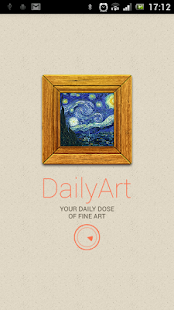
Every day get inspired by the classic art masterpieces and stories they hide, with one of the 12 best educational apps of 2012 according to The Next Web.


Do you know why van Gogh cut off his ear? Or who is Vermeer’s girl with the pearl earring? With DailyArt app released today, day by day, art will no longer be a secret for you.


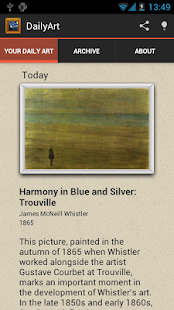
DailyArt is a free app that every day publishes one piece of fine art. But it’s not all – with one classic masterpiece a day you receive a short info, a little tittle-tattle about the painting, the artist or the epoque when it was produced. The content was prepared by the specialists so it assures the great selection of works. Everything is written in a light and pleasant way – because art is for everyone, not only for art historians.


Furthermore, every artwork can be enlarged to the full screen, the app provide also the basic info (the title, author, year, technique, current location) about each painting. It is integrated with Wikipedia, so if you became a fan of some masterpiece you’ll be able to quickly find more info about it. And of course, if one art piece daily is not enough for you, you can check what was highlighted in previous days.


“For me, apps like these are a step in the right direction for getting younger generations engaged with art “

- Christina Farr, VentureBeat


“With its superb images and informative biographical blurbs, DailyArt is perfect for those looking to add some culture to their day.”

Kelly Hodgkins, TUAW


“DailyArt is your daily dose of classic paintings, serving up a proverbial shot of espresso to awaken the inner culture vulture in you”

- Paul Sawers, The Next Web


Download DailyArt – Daily Dose of Art 1.1.2 APK here.
Read more

Facebook Messenger 2.7.1-release

Download Facebook Messenger 2.7.1-release APK for your Android Smartphone.

Current Version: 2.7.1-release

Requires Android: Varies with device

Category: Communication

v2.7.1-release update:

2.7.1

- Some stickers are now animated in messages—see Pusheen, Beast and Anooki wave, dance and wiggle! (Android 4.0.2 and higher)

- Plus, the app is available in more languages: Croatian, Hungarian and Slovakian

- Bug fixes for reliability

2.6.1

- Chat heads now on more devices (like the Samsung Galaxy Y and HTC Wildfire)

- Fixed a bug that caused chat heads to appear incorrectly for people on a Sony Xperia U

- Bug fixes, including improvements to use less battery


Overview:

Text your friends for free. Get Facebook Messenger to instantly reach friends on their smart phones, feature phones or desktop computers.


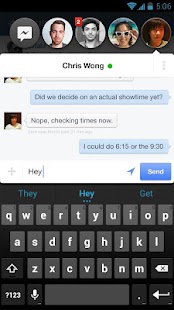
Chat heads bring your messages and texts front and center*

- Keep chatting, even while you’re using other apps

- Tap a chat head to reply, drag them around or flick them down to close

- Get your SMS and Facebook messages together — currently only available on some phones


Bring conversations to life

- Send voice messages when you have more to say

- Add a photo to share what you’re up to

- Have fun with stickers*, smileys and other emoji


Make plans on the go.

- Message a friend or start a group conversation

- Include your location to let friends know you’re nearby

- Swipe left to see who’s available

- Get push notifications


Messenger does all this using your existing data plan.


*These features will be available to everyone soon.


Download Facebook Messenger 2.7.1-release APK here.
Read more

TSF Shell 1.9.9.7

Download TSF Shell 1.9.9.7 APK for your Android Smartphone.

Current Version: 1.9.9.7

Requires Android: 2.2 and up

Category: Personalization

v1.9.9.7 update:

Version 1.9.9.7 (Set.1,2013)

1.Theme Mix (Support all theme material)

2.Widget Preview (Widget selector with widget preview for devices with Android 4.1+)

3.Extra Desktops Quantity(The minimum quantity of the extra desktops was changed to one)

4.Repaired problems that some devices runs TSF Shell not smoothly

5.Repaired problems that the wallpaper can not be centered or become all black in some devices

6.Optimized the starting speed

7.Optimized some operational processes

8.Known bugs fixed


Overview:

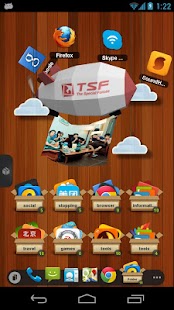
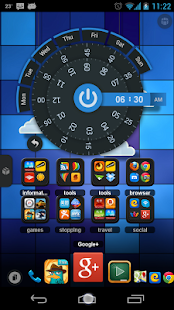
TSF Shell is a brand-new 3D launcher that will subvert your concept of the mobile device home screen operations. It offers smooth, unique and customized man-machine interactive operation experience. You are allowed to define all the elements of the home screen freely and efficiently. TSF Shell keeps creating new features and exclusive 3D widgets that will bring you amazing operation experience and unprecedented visual.


Main features:

========================

1.Fantastic animation transition effects. All operations, including deletion, addition, menu showing-up or vanishing, are provided with natural, glaring and butter-smooth animation transition effects.


2.Miraculous and effective 3D home screen switching mode and freewheeling home screen element layout mode. More than 10 independent layout home screens supported.


3.Unlimited dock bar. Ability to change its position, length and angle as well as to modify the size and the status (hidden or showed) of icons and folders in the dock bar. You can open the apps and the folders in the dock bar with wave-sliding mode.


4.Batch icon selecting for home screens, folders and dock bar.


5.More than 10 TSF Shell exclusive widgets, such as Message, Clock, Weather, Memo, Music, Gallery etc. All 3D widgets provide unique visual and operative experience.


6.More than 9 gestures supported for Android shortcuts, e.g. app launching, phone call, sms, as well as TSF Shell shortcuts, e.g. home screen switching, status bar hiding, TSF Shell side bar hiding.


7.TSF Shell Arch Shortcut Menu with special animation effects and operative experience. Ability to complete quick custom shortcut operations on any home screen.


8.Pioneering icon editing tool. Ability to customize icon back image, upon image, text label style, etc.


9.Many nice free third-party themes are available.


10.Funny and intuitive TSF Shell settings menu. You can preview the corresponding settings directly.

========================


We are working constantly to improve TSF Shell. We update our product and widgets regularly. Please check for updates often to insure you receive the best experience.


========================


■ Follow Us

Facebook: https://www.facebook.com/tsfapp

Twitter: https://twitter.com/tsfapp

Google+: http://gplus.to/tsf

■ Contact Us

E-mail: service@tsfui.com


We welcome any comments or suggestions to improve our product.


Download TSF Shell 1.9.9.7 APK here.
Read more

Mantano Ebook Reader Premium 2.4.0

Download Mantano Ebook Reader Premium 2.4.0 APK for your Android Smartphone.

Current Version: 2.4.0

Requires Android: 2.3 and up

Category: Productivity

v2.4.0 update:

2.4.0

-Added Home

–Latest readings

–Shared books

–Contact requests

–Direct access to Best-sellers

–Latest comments

-Sharing reading allowed for books with DRM

-Improved: Links under highlight can be clicked, Magnifier can be deactivated, Text selection easier in PDF, country taken into account in TTS

–Bookstores: book title displayed in 2 lines, summary no longer truncated

-Fixed: Editing metadatas on book details, Sort order in review sheet, DRM activation lost in some cases


Overview:

Best ebook reader for Android. Supports EPUB 2, PDF and OPDS formats and the Adobe DRM.

For eager readers, students and pros. Highlight and annotate excerpts, share quotes and annotations with friends, revise your lessons, prepare reports, make bibliographical research or annotate contracts, lookup words in local and remote dictionaries, go on reading while running thanks to the text-to-speech function, download thousands of ebooks from famous OPDS catalogs or add your own OPDS catalogs…


“Best on the market. I’ve tried every ereader app on the market and this is by far the fastest, most feature rich one. Very well done, you’re head and shoulders above the competition.”


▶ Additional Features for the Premium version:


✔ Customer Support and more frequent updates

✔ Ad-free

✔ Customize the display of EPUB 2 documents thanks to Themes: default font, line height, colors, etc. Create your custom themes

✔ Optional realistic page curl animation for EPUB and PDF in reflow mode

✔ Manual and automatic crop for PDF

✔ Zoom in on images for EPUB books

✔ Magnifier Glass for text selection and highlighting

✔ Edit the title of bookmarks

✔ Create standalone text or freehand notes

✔ Vocal synthesis (Text To Speech): listen to a book, a page or a text selection

✔ Customize predefined gestures and key actions

✔ Download offline dictionaries

✔ Advanced Search function with a Search panel displaying the list of all instances of a word in the book

✔ Attach freehand notes to a selection or a page

✔ Filter your books and notes by collection, author, tags, publisher, formats…

✔ Browse your internal memory and SD card thanks to the integrated File Explorer, to manually import books into your library

✔ Notes Manager: organize and navigate through your notes like your books with collections, tags, and search, create review sheets from a selection of notes in different books, jump directly from a note to the corresponding page in the book…


▶ Key Features common to all versions:


✔ Support of Adobe DRM, including ID and password protected files

✔ Advanced support of PDF: Fast scroll, Pan & Zoom, double-click for 1 column display

✔ Night mode

✔ Attach text notes to a highlight or a page

✔ Browse the table of contents thanks to a familiar expandable tree structure

✔ Quickly access your annotations, highlights and bookmarks

✔ Lookup words in online dictionaries

✔ Search a word in a book

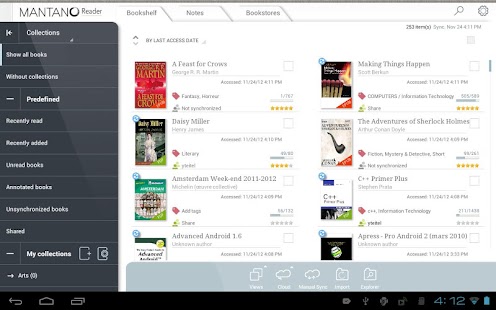
✔ Organize your books in collections

✔ Display your library according to different view modes: compact list, detailed list and thumbnails view

✔ Tag your books and manage your tags

✔ Filter by collection, author, tags, notes

✔ Sort by title, author, date added, last access date

✔ Search a book by typing a part of its title, tags or of the author’s name

✔ Display detailed book information (long press)

✔ OPDS Catalogs Explorer: search for new books in several predefined online catalogs, add your own catalogs, directly open a downloaded book, filter by catalog and category, full-text book search.


▶ Additional Mantano Cloud features (require a separate paid subscription on http://cloud.mantano.com):


✔ Switch between your phone and tablet and always find your books, annotations, notes, reading positions along with you

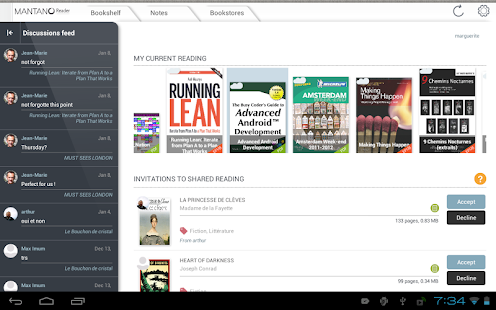
✔ Transform your books and documents into digital reading circles by sharing annotations and learn from others’ experience.


▶ Note: Due to a known issue in Android 4.1, application updates sometimes fail. Please uninstall and reinstall the application.


▶ Other ebook reader applications:

- Supporting Adobe DRM: Aldiko, Kobo, Bluefire, Adobe Reader

- Not Supporting Adobe DRM: Moon+ Reader, RepliGo, Laputa, Cool Reader, ezPDF, FBReader.


▶ Tags: book, ebook, book reader, ebook reader, epub reader, pdf reader, ebook speech, dictionary, lexicon, library, bookstore, opds, tts, epub, pdf, ebook annotate.


Download Mantano Ebook Reader Premium 2.4.0 APK here.
Read more

Scanner Radio Pro 4.0.0.1

Download Scanner Radio Pro 4.0.0.1 APK for your Android Smartphone.

Current Version: 4.0.0.1

Requires Android: Varies with device

Category: Entertainment

v4.0.0.1 update:

4.0.0.1:

Fixed a bug which was causing the audio to stop playing when listening with the app in the background.

Fixed a bug which resulted in the “Favorites” screen not being displayed on start-up in some cases.

Made a change so that the “Include “Exit” in menus” setting is set to true by default for users that are upgrading (and set to false for new users).

4.0:

Major facelift.

3.9.6.6:

Miscellaneous bug fixes.


Overview:

Listen to live audio from over 4,100 police and fire scanners, weather radios, and amateur radio repeaters from around the world (primarily in the United States and Australia, with more being added daily) on your phone.


Features:


* View scanners that are located nearest you, sorted by distance.

* View the top 50 scanners that have the most listeners (list updated every 5 minutes).

* View list of scanners added most recently (new additions are being added all the time).

* Add scanners you listen to the most to your Favorites list for quick access.

* Browse the directory of scanners by location or genre (public safety, air traffic, weather, railroad, etc).

* Enable notifications to be notified when lots of people (such as over 1000, for example) are listening to any scanner (indicating that something big is happening). You can also be notified when scanners located near you (or specific scanners of your choosing) have more than a certain number of listeners.

* Add Scanner Radio Pro widgets and shortcuts to your phone’s home screen for quick access (app cannot be installed on SD card to access them).

* Add a “Scanner Radio Pro Favorite” shortcut to your home screen to launch a scanner feed via an alarm clock app or automation app.

* Listen to Broadcastify.com’s audio archives to listen to audio that’s been archived over the past 30 days. Note: You *must* have an account on Broadcastify.com and purchase their “Premium Membership” ($15 for 6 months) in order to access their archives using the app.


In addition to the above features, you also get the following features with this version of the app:


* The ads are removed.

* The play button at the top of the directory screens and on the widgets can be used to start listening without having to go to the player screen.

* With the “Scanner Radio Pro Locale PlgIn” plug-in is also installed you can have Locale/Tasker launch the app and have one of your Favorites automatically begin playing based on one or more conditions or have the app stop playing. One use for this feature is to have a scanner feed begin playing when your phone connects to a specific Bluetooth device and then have it stop when the connection to that Bluetooth device is no longer present.


The audio is provided by volunteers (primarily for Broadcastify.com) using real scanner radios.


If you need assistance, please contact me at android-support@gordonedwards.net


Explanation of why various permissions are needed:


The “Phone Calls / Read Phone State” permission is needed by the app so that it can detect when you’re placing a phone call (or when one is being received) so that it can automatically stop the streaming of the audio to prevent it from interfering with the call.


The “Fine (GPS) Location” and “Coarse Location” permissions are required so that the app can determine what scanners are located in your area when you click on “Near Me”. When you click on “Near Me” the app first attempts to determine your location via the network, if that fails the app then tries to determine your location via GPS.


The “Automatically Start at Boot” permission is required so that a small portion of the app can be started when your phone boots if (and only if) you turn on the notifications feature of the app (that feature is turned off by default).


If the audio repeats or the app stays connected for only a short time, try returning to a directory screen in the app, then select “Settings” from the menu, then “Player settings”, and then try changing the “Streaming method” setting.


Download Scanner Radio Pro 4.0.0.1 APK here.
Read more

Minimalistic Text 3.0.10.6

Download Minimalistic Text 3.0.10.6 APK for your Android Smartphone.

Current Version: 3.0.10.6

Requires Android: 2.2 and up

Category: Personalization

v3.0.10.6 update:

3.0.10.6.2

- fixed weather bug (especially for manual location)

3.0.10.6

- new WorldWeatherOnline API

- Translation updates

- Weather icon (only pro version for now)

- OpenWeatherMap integration

3.0.10.5

- added fallback mechanisms for getting the current location

- improved activity selector

3.0.10.4.x

- Fixed activity tap action

- Improved battery extension stability

- Fixed translation issues

- Fixed rendering performance

- Lowered memory consumption


Overview:

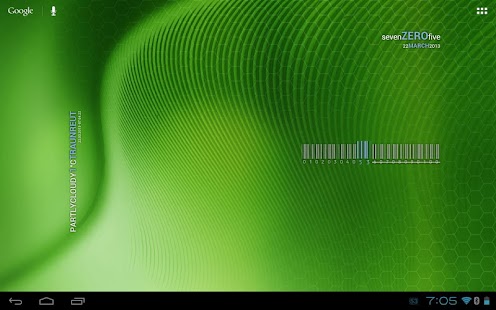
Minimalistic Text is a widget app that displays information in a minimalistic way.

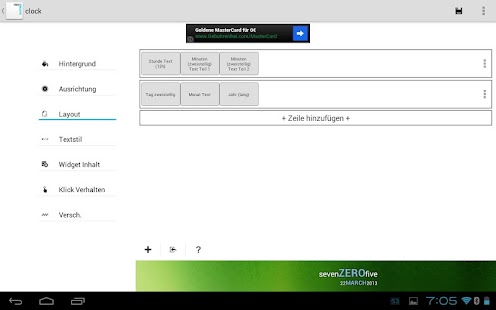
It can be configured to display time, date, battery and weather information. The layout of the widget is highly customizable through the layout editor.


YouTube videos:

Barcode Battery Bar: https://www.youtube.com/watch?v=yPsug6jQ3o4

Use custom fonts: https://www.youtube.com/watch?v=1Ou_kaXfyiU


Supported languages:

* English

* Danish

* German

* Greek

* Dutch

* Polish

* Norwegian

* French

* Croatian

* Serbian

* Czech

* Spanish

* Estonian

* Italian

* Portuguese

* Hungarian

* Russian

* Swedish

* Simplified Chinese

* Traditional Chinese

* Slovak

* Afrikaans

* Slovenian

* Hebrew

* Bulgarian

* Catalan

* Korean

* Turkish

* Finnish

* Ukrainian


Explanations for the permission requests:

** android.permission.VIBRATE **

used in the layout editor to give feedback that an item has been dragged

** android.permission.ACCESS_COARSE_LOCATION **

used by the weather service to get your coarse location and retrieve the weather for it

** android.permission.ACCESS_NETWORK_STATE **

needed to determine if the weather data can be fetched

** android.permission.INTERNET **

needed to actually retrieve the weather data and to get the name of the location you are

** android.permission.RECEIVE_BOOT_COMPLETED **

needed to be able to wait until the phone booted before initializing

** android.permission.WRITE_EXTERNAL_STORAGE **

to gain access to your SD card and save the preferences to it

** android.permission.GET_TASKS **

used to determine if the home screen is currently active. This is used by the automatic rendering option

** android.permission.CHANGE_COMPONENT_ENABLED_STATE **

To enable / disable widget sizes

** android.permission.ACCESS_WIFI_STATE **

To support WiFi variables

** android.permission.READ_CALENDAR **

To support calendar events

** com.android.vending.BILLING **

To support In-App donation

** de.devmil.minimaltext.permission.USE_DIRECT_CALL_ADDON **

allows Minimalisitc Text to use the Minimalistic Text direct call addon (if it is installed)


If you have any problems, write me an email!


Now with Buzz Launcher support! Minimalistic Text can be restored exactly the way it has been packed using the Buzz Launcher. This way you can share your complete Homescreen easy with other Buzz Launcher users!

Download Buzz Launcher here: https://play.google.com/store/apps/details?id=com.buzzpia.aqua.launcher


Please don’t use the comments for feature requests or bugs. You can write me an email (develmil@googlemail.com). (Of course you still can rate lower due to bugs or missing features)


Tasker integration:

1) add a Locale variable to your layout and set the variable name (click it)

2) in Tasker select Plugins -> Minimalistic Text for an action

3) Click “Edit”, a new activity starts

4) enter the name of the variable and the text that should be displayed for this variable (you can use Tasker variables)

done


Wiki: wiki.devmil.de


Download Minimalistic Text 3.0.10.6 APK here.
Read more