Dragon’s Lore: Match 3 1.0.7

Download Dragon’s Lore: Match 3 1.0.7 APK for your Android Smartphone.

Current Version: 1.0.7

Requires Android: 2.1 and up

Category: Casual

v1.0.7 update:

Follow our community page on Google+

http://plus.google.com/communities/110903621102674674387


Overview:

The Japanese dragons are graceful, wise and not blood-thirsty at all. Unlike European ones they don’t suffer from irresistible longing for gold and the odd princess. They are not hunted by hordes of mad knights; quite the reverse, people honor and respect them. Enter the marvellous world of Oriental fairy-tales and get acquainted with one of these dragons.


The main goal of Dragon’s Lore is the removal of figures from a game field. Try to match pieces of the same colour by adding new cubes, this is the way to score points and earn game money. Various bonuses will help you to cope with tough levels and the dreaded timer.


Dragon’s Lore has several game modes. “Story” tells a tale about a quest of the dragon Kirin. You’ll gradually pass through levels with different tasks, compete with bosses and upgrade your hero. “Classic” and “Arcade” games give you a pack of levels in which you must remove a number of cubes in a very short time, or play without time limits. “Puzzle” mode forces you to think hard about the best solution for different riddles in this mode. “Infinity” mode allows you to play as long as you wish, set outstanding high-scores until there are no possible moves.


There’s even a HotSeat mode for a chance to enjoy the game with your friends.


Game features:


• 4 single player game modes

• HotSeat mode

• About 200 levels

• Story mode with a full-blooded plot and upgrade system


G+ http://plus.google.com/communities/110903621102674674387

FOLLOW US: http://twitter.com/herocraft

WATCH US: http://youtube.com/herocraft

LIKE US: http://www.facebook.com/herocraft.games


Download Dragon’s Lore: Match 3 1.0.7 APK here.
Read more

iSlash 1.4

Download iSlash 1.4 APK for your Android Smartphone.

Current Version: 1.4

Requires Android: 2.1 and up

Category: Brain & Puzzle

v1.4 update:

NEXUS 4 & 7 BUG FIX

In some cases a bug was causing the game to crash on Nexus 4 and Nexus 7. It has been fixed! Enjoy slashing!

*******************

08/29/2013 SET 3 BUG FIX

This update fixes an issue where Set 3 doesn’t unlock even though you have completed all the levels in Set 2. Sorry for the inconvenience! Now you can enjoy Set 3!

Keep Sla/sh/in/g!

*******************


Overview:

*MORE THAN 17 MILLION PEOPLE ENJOYING iSLASH!*

We’d like to thank everybody who encourages us with their reviews and for making iSlash one of the best slashing free puzzle games on Google Play!


iSlash is a free and addictive slashing game where your finger is your weapon. Swipe to slash your way through 100 amazing game levels (more to come for free). Keep an eye on the ninja stars; some are fast, some are ghosts but all are deadly. Destroy most of the play-shape and you’ll advance to the next one. Open your ninja senses and let the fun begin!


FEATURES

* 100 game levels and more to come for FREE

* Swarm support

* Achievements and global Leaderboards

* New stars and Bonuses introduced as you advance

* Original soundtrack

* Frequent updates to keep you slashing


If you’ve enjoyed the free game iSlash please support us with your 5-star ratings!


Keep S/la/sh/in/g!!!


————————


The Press Loves iSlash :


iLounge : Rating: A-

“A- rating and high recommendation”

http://www.ilounge.com/index.php/articles/comments/iphone-ipad-gems-age-of-zombies-circuloid-islash/


148apps.com: Rating: 4.5 / 5.0

“iSlash combines precision swiping with a great puzzle mechanic that makes it very hard to put down.”

http://www.148apps.com/reviews/islash-review/


Games Uncovered: Rating: B Great

“iSlash is a happy surprise, … we think Duello Games are onto a winner; Qix meets Starball.”

http://www.gamesuncovered.com/reviews/islash


————————


Curious About Duello Games?


Follow us on Twitter :

http://twitter.com/duellogames

Like us on Facebook :

http://www.facebook.com/duellogames


Download iSlash 1.4 APK here.
Read more

iLauncher 3.1.1

Download iLauncher 3.1.1 APK for your Android Smartphone.

Current Version: 3.1.1

Requires Android: 2.2 and up

Category: Tools

v3.1.1 update:

v3.1.1

- Fixed a glitch of closing a folder by home button.

- Now Launcher Settings will not be hidden with iSettings installed.

- misc.

v3.1.0.1

- Fixed a critical bug that all folders were gone after restarting the launcher and iNoty respectively.


Overview:

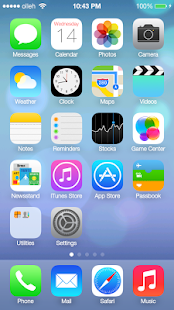
This is an iPhone style home screen launcher.


FEATURES


- SMOOTH SCROLLING

- Icons have rounded corners and gloss effects.

- Long touch icons to move them around and position them as you like.

- Dock-bar

- Easily uninstall apps from your home screen.

- Press the back button to exit edit mode.

- Can change each application’s name and icon by touching the app shortly in jiggle mode

- Support 5 rows mode, just like iPhone 5

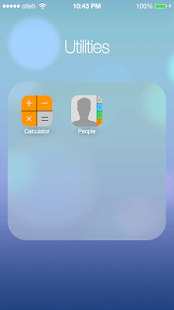
- Folders

- Shortcuts

- Support tablets (iPad mode)

- Changable logo

- Support live wallpapers


WITH iNoty


- Transparent status bar

- More notifications on icons


Download iLauncher 3.1.1 APK here.
Read more

DiskUsage 3.4.1

Download DiskUsage 3.4.1 APK for your Android Smartphone.

Current Version: 3.4.1

Requires Android: 1.0 and up

Category: Tools

v3.4.1 update:

3.4.1:

- Bug fix: support large application data and don’t report it as “System data”

3.4

- Fixes for Nexus 10

- Display cache for applications. Sorry for didn’t spotting this earlier, missing cache was causing huge amount of space displayed as system data for some users.

- New Astro can’t be launched from DiskUsage, so removed it from the list of supported file managers. Older Astro should work fine.

3.3.2

- Integration with Solid Explorer

- bugfixes


Overview:

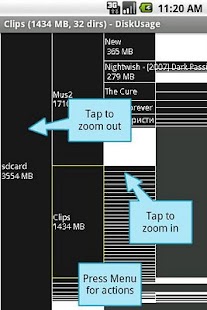
DiskUsage provides a way to find files and directories on storage card which consume a lot of space.


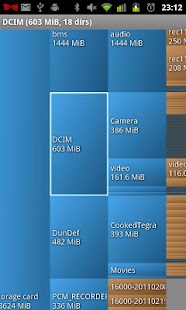
Displays diagram with directories/subdirectories proportional to their size.


Press MENU for actions.


Integrates with OI FileManager and Astro.


If program fails or gives you out of memory error message – please contact me. Thanks.


Source available under free license (GPL-2)


Keywords: visual space on internal storage flash sdcard memory file directory folder sd xdu xdiskusage spacemonger windirstat baobab storage space cleaner


Download DiskUsage 3.4.1 APK here.
Read more

Quick System Info PRO 2.1.8

Download Quick System Info PRO 2.1.8 APK for your Android Smartphone.

Current Version: 2.1.8

Requires Android: 2.2 and up

Category: Tools

v2.1.8 update:

* Add “Input Device” info.

* Show raw properties for CPU/MEM info

* Refine Display info in Properties viewer.

* Improve Applications view refreshing indicator

* Add “Storage Details” shortcut for internal storage info, if available

* Support “Search in market” action in Processes view


Overview:

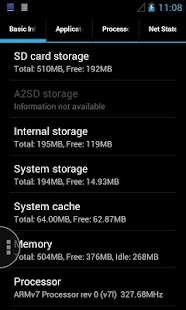
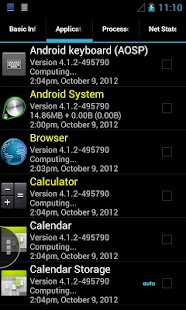
Quick access of the basic system information for your Android platform, including information for CPU, memory, SD Card, running processes, network states and installed applications.


This is the ad-supported version of Quick System Info, which provides extra features as following:


* Live CPU/MEM Usage Monitor

* Live 2G/3G/Wi-Fi Traffic Monitor

* One-click Application Cache Cleaner

* Application History Cleaner

* Advanced System Properties Viewer

* Enhanced Application Viewer with Tag support

* Enhanced Process Management and Viewer

* Enhanced Network Connection and Traffic Viewer

* Miscellaneous other enhancements.


ADs can be removed by donations. Thanks for your support of this app.


Get a free unlock code for translation contributor. If you are interested, please contact the author.


*** Paid version available now! ***


** The ’read/write bookmark’ permission is needed for the ’Clean History’ function **


* Widgets will not work if you install app to SD card, please check Quick System Info Widget Pack for additional support *


Download Quick System Info PRO 2.1.8 APK here.
Read more

Device Storage Analyzer 1.40

Download Device Storage Analyzer 1.40 APK for your Android Smartphone.

Current Version: 1.40

Requires Android: 2.1 and up

Category: Productivity

v1.40 update:

1.40 > New lists design.

1.40 > Multiselection when clicking on itemcolor tag, like google gmail app.

1.40 > Bug fix and small features.

1.40 > Extended version released.

1.34 > Improved graphic performance and stability. Some bugfix


Overview:

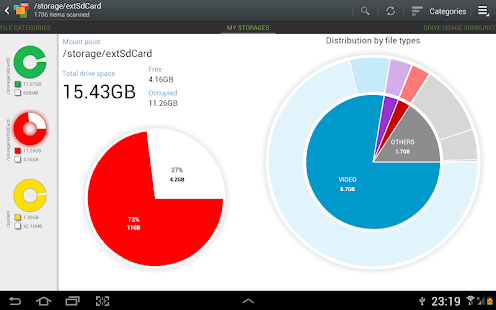
My Device Storage Analyser displays information on sdcard, usb devices, sd-cards, external and internal storage in a simple and clear graphical form (infographics). ITS FREE, NO ADS, NO VIRUSES.


■ It’s the MOST ADVANCED and INTERACTIVE DISK SPACE VISUALIZATION on Google Play.

■ “Finds lost cache files. It helps me to free up disk space by quickly finding and deleting big files.”

■ “This application is an essential addition to any file browser. it is very simple and convenient tool to search for files by size.”


Why does my device should be impersonal? What is inside? How data are intertwined, and how are they related? I do not want to consider about my device as just a set of data. I want to see its inner essence and soul.


● VISUALIZATION

Folders and Files are represented as a Sunburst chart and sorted by their size.

Сentral chart sector is a current directory. Its represented by a circle. The rest of the sector is the subfolders and files. Click on the sector and we go deeper. Application draws nested levels with a head of previously selected sector.


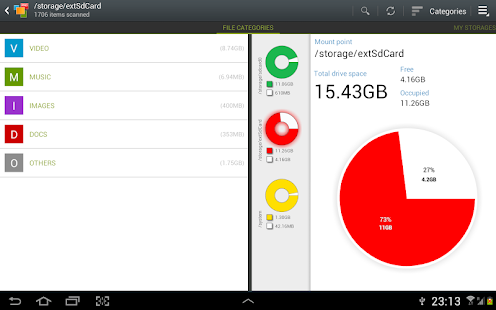
My Device Storage Analyser displays mount points as a pie chart with a free and available space and the distribution of files by category (documents, images, videos, music, etc.) and extensions (for example, the distribution of the Music has subcategory mp3, wma, ogg, etc.)

Data on available storages taken from mount points of the vold.fstab file.


● STRONG SEARCH CAPABILITIES

All contents of the device is indexed at run. Full drive search can be done in a second. Founded files are displayed on the Quick Search page after entering a search query.


● FINDING BIG FILES EASILY

Global Top Ten largest files mode is available.


● INTUITIVE USER INTERFACE

User-friendly interface allows you quickly switch between modes and pages. Like Google Play application My Device Storage Analyser uses view pager.


Context Action Mode is now available for selected sectors (only for Anroid API 3.0 and higher). It’s very simple to select files and perform operations on it.


You have the following pages in the application:


● File categories. All files in internal and external storage,SD card or USB device are presented in a structured way:

By category (documents, videos, music, etc.)

By file size (large, large, medium, etc.).


● My Storages page displays the summary statistics for available storage.


● Drives Usage Sunburst is an Intuitive and effective way to display the data on the device. Simply drill-in and you will discover inner data universe.


● Top 10 Files mode shows you where all the free space on the device has disappeared


● Quick Search mode shows the result of search or a content of a chosen category.


Clicking on the file shows context menu with a open or delete the document, discover its properties.


Long click on the category or extension will put contained files to the Quick Search page.


# The application is OPTIMIZED for phones (2.3.6) and tablets (3.0 and above).


# Application is still in development, so there may be unexpected force closes. Better FEEDBACK than low rating. Thank you!


Application tested on:

● Samsung Galaxy Note 10.1

● Samsung Galaxy Note II

● Samsung Galaxy I9003 SL

● Samsung Galaxy S3

● Samsung Galaxy S4

● Nexus 10

● Nexus 4

● Samsung S5660

● Asus EEE Pad TF101


Keywords: disk usage, diskUsage, device, SD card, internal storage, external storage, app2SD, manager, explorer, free space, device info, infographics, visualization, mode, user, baobab, disk radar, scanner, device storage analyser, Note 10.1, Disk Radar, Filelight, windirstat, treesize


Download Device Storage Analyzer 1.40 APK here.

Read more

Secure Settings 1.3.3

Download Secure Settings 1.3.3 APK for your Android Smartphone.

Current Version: 1.3.3

Requires Android: 2.2 and up

Category: Tools

v1.3.3 update:

See the changelog for a complete update! http://goo.gl/hFJcW

v1.3.3

* Check out the Helper Alternative! [4.1+]

* Android 4.3 fixes

* Automagic Support

* 14 New Options!

* Support for Input Method sub-types (languages)

* Fix: System UI Crashes – see new option in the Preferences

Please email me if you have a problem/question rather than rating this app poorly. I read all emails and will respond to you.

Please Note: If you wish to uninstall this app, you MUST disable Device Admin.


Overview:

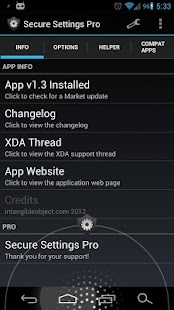
Secure Settings is a Locale/Tasker compatible plug-in for Android 2.2+.


Create Launcher shortcuts to any available Action option!


Secure Settings has tons of features for super users or those who just want more out of their devices.


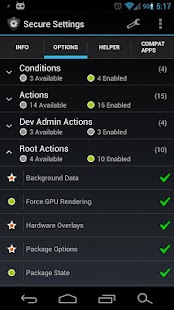
Conditions:

• Failed Login Attempts

• Google Now Shortcut [4.1+, Pro]

• Outgoing Call

• Secret Code


Actions:


• Airplane Mode [Helper required 4.2+]

• Airplane Mode Radios [Helper required 4.2+]

• BT Connection [4.0+]

• Toggle BT Tethering [4.0+, Pro]

• Execute Shortcuts

• Adjust the Font Size [4.0+]

• Enable/Disable the Keyguard [2.3 and below]

• Launch any Activity (Root required for some activities)

• Change the default system language [4.0+]

• Enable/Disable Mobile Data [2.3+]

• Run any GNU Linux command

  º Capture output info

  º Use root to execute privileged commands [Root required]

  º Output return values to user-defined Tasker variables [Tasker required]

• Show Touches [4.0+]

• SIP Options [2.3+]

  º Toggle Receive Calls

  º Change Call Option

• Keep device awake while charging [Helper required 4.2+]

• Wake Device

• Change the Wifi sleep policy [Helper required 4.2+]

• Wifi Hotspot [4.0+]


Dev Admin Actions:


• Enable/Disable the Camera [4.0+]

• Lock the device

• Toggle Lock Screen Widgets [4.2+]

• Set/Reset the device Password or Pin


~Root functionality~

If you are rooted the following is available:


• Set Background Process Limit [4.0+, Pro]

• Toggle Background Data [Pro]

• Force GPU Rendering [4.0+]

• Toggle Hardware Overlays [4.1+, Pro]

• Toggle Package Notifications [4.1+]

• Manage Package Data [Pro]

• Enable/Disable user or system apps

• Toggle Power Button Lock [4.1+, Pro]

• Answer,End and Silence calls [Pro]

• Reboot Options (uses built-in functions) [Pro]

• Toggle USB Tethering [4.0+, Pro]

• Connect/Disconnect VPN Profiles [4.0+, Experimental!]

• Toggle Wireless ADB


~Helper functionality~

If you are rooted, you can install the Secure Settings Helper.

With this installed, you gain access to the following functions:


• Toggle Accessibility Services

• Set Active Day Dream

• Toggle Day Dream State

• Toggle Data Roaming

• Toggle GPS

• Set Lock Screen Timeout [4.0+, Pro]

• Update Lock Screen Owner Info [3.0+]

• Change Input Methods without the prompt

• Toggle NFC [NFC Adapter]

• Toggle Pattern Lock

• Toggle Location Services

• Toggle Unknown Sources

• Toggle USB Debugging (ADB)

• Toggle Wifi Optimization [4.2+]

• Toggle Wifi Scanning [4.3+]


~Custom ROM functionality~

• Toggle ADB Over Network [CM9+ only]

• Toggle Expanded Desktop [CM10/PA only]

• Toggle Fast Charge [Custom Kernel with Fast Charge Required]

• Toggle Kill App Back Button

• Toggle LTE [CM9+/AOKP]

• Toggle Samsung Modes [Samsung ROM]


Any issues or questions? Check out the XDA thread: http://goo.gl/zP5ltJ


Explanation of Permissions:

• Device Administrator Access – Required to lock the device or set/reset the password

• Superuser Access – Required to execute privileged commands

• Storage Access – Required to write to the SD Card

• Full Network Access – Required to download/check for updates for the Helper application

• System Tools – Required for the Keyguard and Wake Lock functionality

• Write Secure Settings – Required for performing Helper functions

• Change Configuration – Required to change Locale

• Change Network State – Required to toggle Mobile Data

• Change Wifi State – Required to toggle Wifi Adapter for Wireless ADB

• Wifi Access – Required for the Wireless ADB function

• NFC – Required to toggle the NFC Adapter

• Bluetooth/BT Admin – Required to Connect to BT Devices

• Boot Complete – Required to install Helper on boot if missing

• Process Outgoing Calls – Required to use outgoing calls as conditions


Download Secure Settings 1.3.3 APK here.
Read more